AVIF Files: Where They Still Don't Open in 2026
AVIF is the most efficient image format in general use today, and also the one most likely to quietly fail in a place you didn't expect. Not in your browser. Everywhere else.
Here's where that gap actually shows up in 2026, and what to do about it.
Where AVIF still breaks
- Microsoft Office. Word, PowerPoint, and Excel still don't read AVIF natively on either Windows or Mac. Trying to insert one gives you an unsupported file type error, not a broken image, so the fix isn't obvious until you've hit it once.
- Windows File Explorer. Without the AV1 Video Extension installed from the Microsoft Store, AVIF files show up as a generic icon with no thumbnail. The system doesn't know what it's looking at.
- Older photo editors. Photoshop only added native AVIF support in mid-2025. Any version older than that, plus most lightweight editors and legacy design tools, simply won't open the file.
- Print shops and photo labs. Print workflows are built around JPEG and TIFF. Submitting an AVIF file to a print service is a near-guaranteed rejection.
- Some upload forms and CMS platforms. Older WordPress installs, certain form builders, and a handful of platforms that haven't updated their file-type validation will block AVIF uploads outright, even though the image itself is perfectly valid.
None of this means AVIF is a bad format. It means AVIF is a newer format, and adoption outside browsers has lagged well behind adoption inside them.
What actually happens when you convert
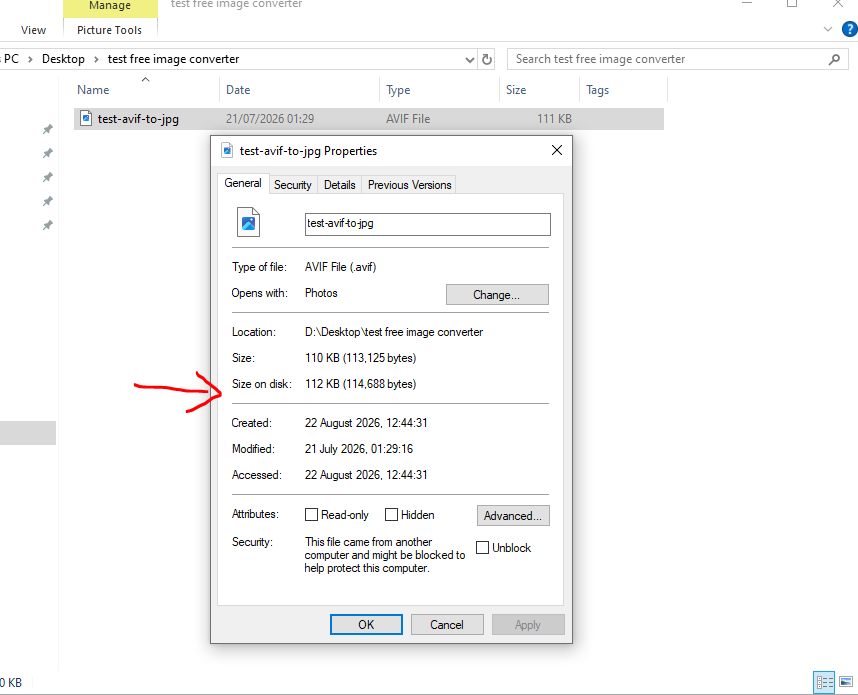
We ran a real file through our own converter to see the numbers rather than guess at them. Here's the original AVIF file on disk, sitting at 110 KB.
We uploaded it to the converter and set it to convert to JPG.
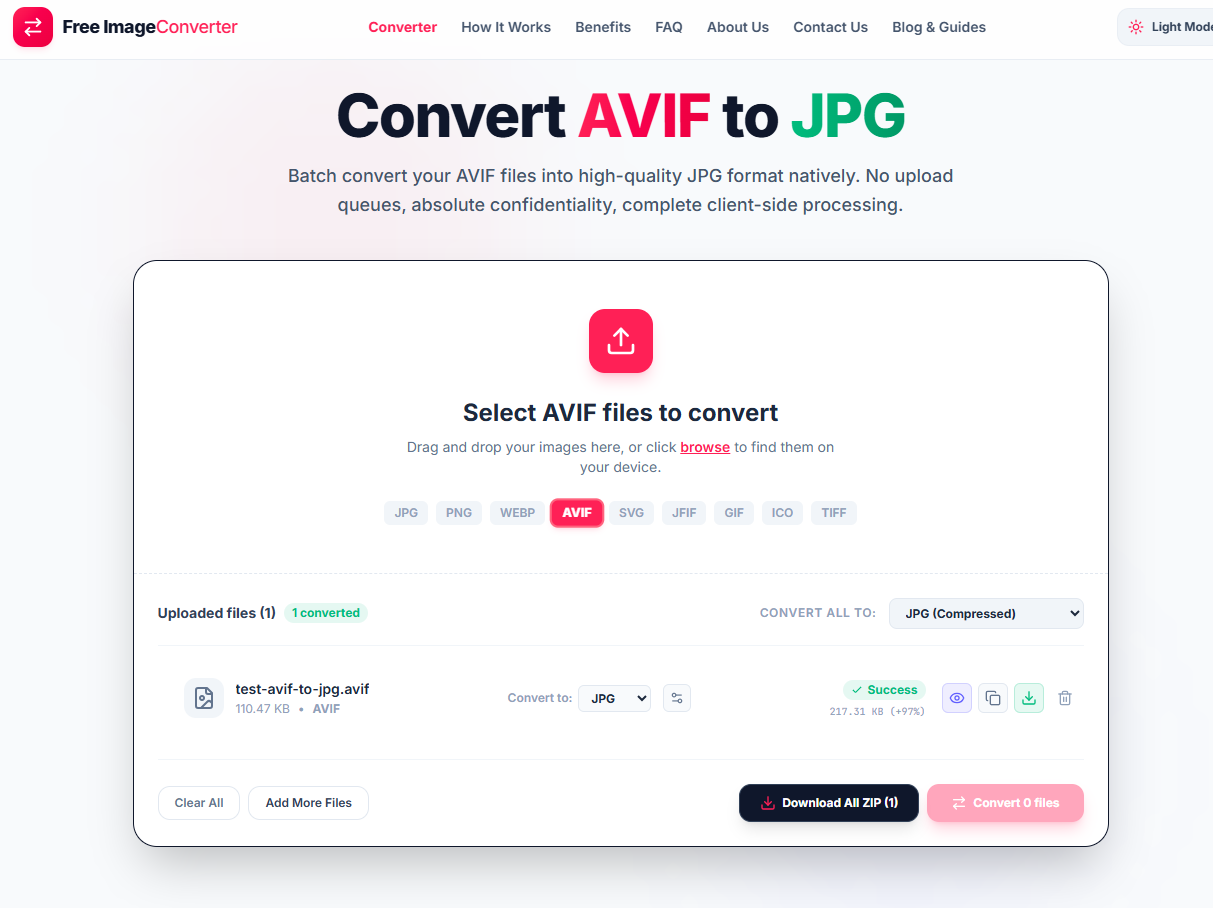
The result: the converted JPG came out at 217 KB, nearly double the original.
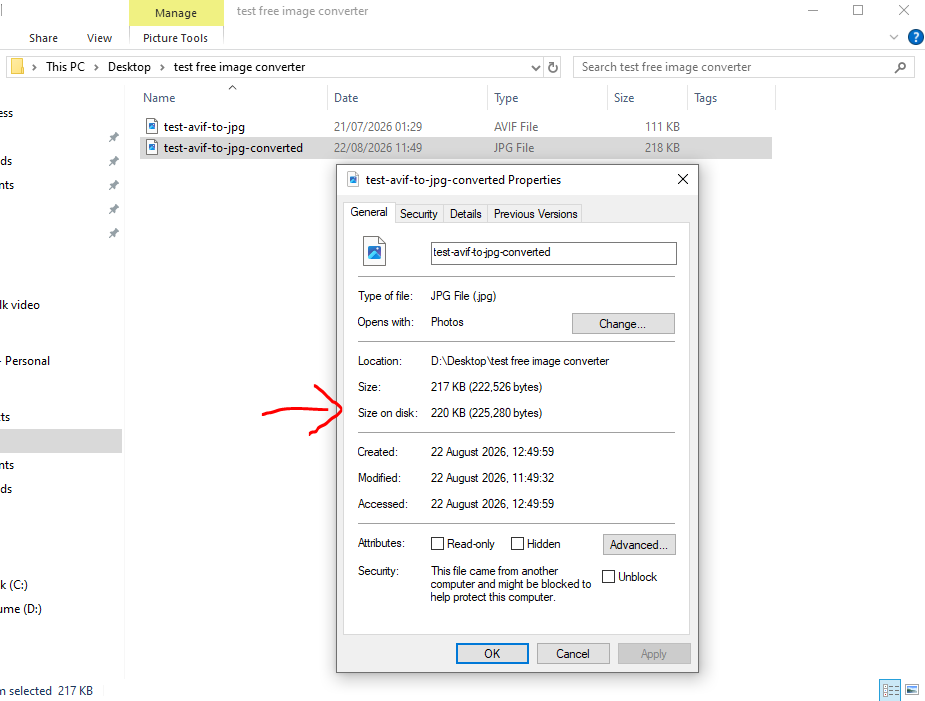
That jump isn't a bug in the tool. It's the nature of the swap. AVIF's compression, built on the AV1 video codec, is simply more efficient than JPG's older DCT-based approach at the same visual quality. Converting backward from AVIF to JPG trades that efficiency for compatibility. You're not making the file better. You're making it work in more places.
Two other things worth knowing before you convert
JPG has no alpha channel, so if the AVIF file has any transparency, it gets flattened onto a solid background (white by default) and that's permanent once saved. AVIF is one of the only formats that supports transparency, HDR, and wide color gamut all at once, so if the source file was shot or exported with HDR enabled, the highlights get clamped down to standard range in the JPG output. Neither of these is something the quality slider can prevent, since they're structural limits of the JPG format itself, not compression settings.
Using the converter for this
The AVIF to JPG converter runs the whole process locally through WebAssembly, so the file never leaves your browser during conversion. It supports the same batch queue as our other tools, so a folder of AVIF exports from a stock photo site or a camera app can go through in one pass. Since the output will usually be larger than the source, there's no real reason to run this conversion unless one of the compatibility gaps above is actually the problem you're solving.
Efficiency vs Compatibility
Converting AVIF to JPG typically increases file size by 50%–100% at identical visual quality. Only convert when compatibility in legacy software or print workflows requires JPG.
Why Convert AVIF to JPG?
- Universal Office Support: Works in Word, PowerPoint, and Excel with zero errors.
- Legacy Photo Editors: Opens in older Photoshop, Lightroom, and desktop viewers.
- Print & Lab Ready: Accepted by commercial photo labs, kiosks, and print shops.
Quality Tuning
Use the quality slider to find the right balance between file size and image clarity for your target destination.
Your AVIF images are decoded and converted locally using WebAssembly. Files never upload to any external server.