ICO to PNG: One File, Several Icons Hiding Inside It
Open most .ico files and you're not looking at a single image. You're looking at a small container holding several versions of the same icon, each built at a different pixel size, 16×16, 32×32, 48×48, sometimes 256×256, all packed into one file so Windows can grab whichever size fits a browser tab, a file list, a desktop, or a jumbo icon view without ever having to scale one image up or down and lose sharpness doing it.
A PNG can't hold that. It's one image, one resolution, no bundle. So the moment you convert an ICO to PNG, something has to pick a single size out of that stack and leave the rest behind. Our ICO to PNG converter grabs the largest one embedded in the file, since that's almost always the version people actually want and it scales down cleanly later if a smaller copy is needed. We ran a real 108.32 KB .ico file through it and got a 34.46 KB PNG out the other end, a 68% drop, because that one extracted image is a small fraction of what the full multi-size bundle was carrying.
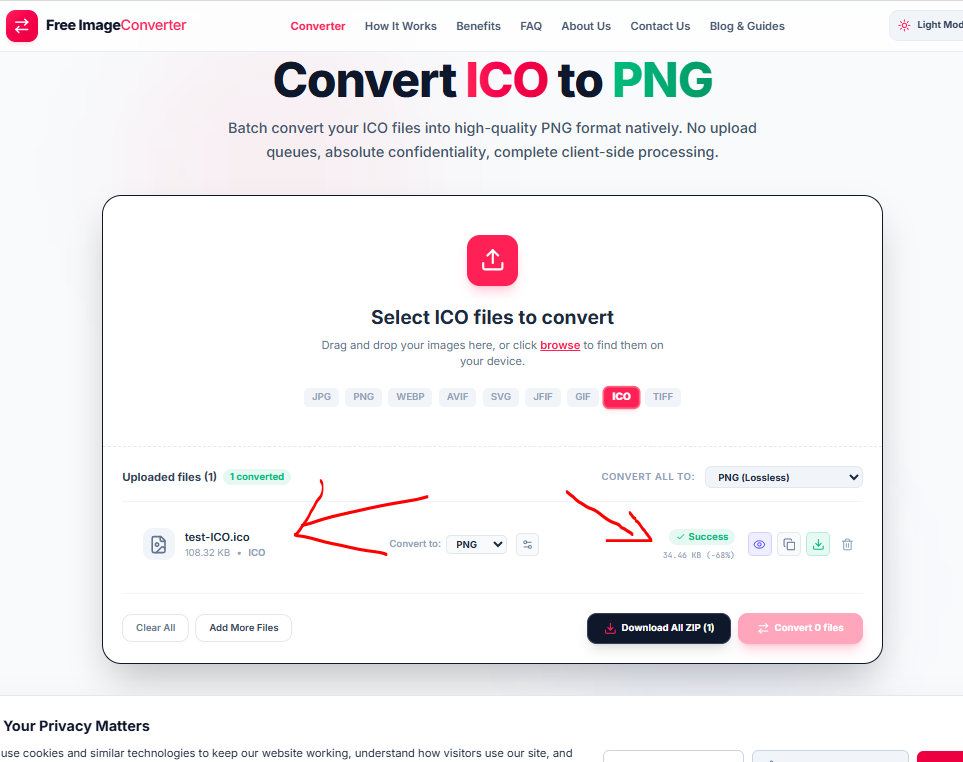
There's a ceiling worth knowing about before you convert anything important. The PNG can only be as sharp as the largest size already stored inside the source ICO. If the icon you're converting only ever had a small 32×32 version bundled in, that's what comes out, and no setting changes that. The fix in that case isn't a different tool, it's going back to whatever generated the icon and exporting a bigger version first.
Modern browsers don't even require ICO for favicons anymore, PNG and SVG both work directly, so the format's grip has loosened outside of Windows itself. Inside Windows, desktop shortcuts and application icons still expect it, multi-size bundle and all. If you just need one clean image out of that bundle for use elsewhere, this converts it at the highest resolution the file has to offer.
Highest-Res Extraction
Our converter automatically identifies and extracts the highest resolution embedded within the multi-icon ICO bundle (up to 256×256 or higher).
Multi-Size Bundle Architecture
ICO files store 16×16, 32×32, 48×48, and 256×256 copies side by side. Extracting a single PNG frame naturally slashes total file weight.
Key Advantages
- Full Alpha Transparency: Preserves crisp alpha-channel transparent backgrounds.
- Universal Web Use: PNG renders seamlessly on web pages, apps, and presentation slides.
- Batch Processing: Convert dozens of ICO files in parallel with a single click.
Your icon files are processed entirely within your browser engine. No files or icons ever touch external servers.