Converting SVG to PNG? The Size Was Decided Before You Clicked Convert
Every other format on this site works the same basic way: you have a fixed grid of pixels, and converting just repackages those pixels differently. SVG doesn't have a fixed grid of pixels at all. It's a set of drawing instructions written in code, math that describes shapes, curves, and coordinates, and it gets redrawn fresh at whatever size you ask for.
That's the entire reason SVG can scale from a favicon to a billboard with no loss of quality. It's also the reason converting one to PNG works differently than every other conversion on this site, and why the result sometimes surprises people who expected a "settings" screen that isn't there.
PNG doesn't have that luxury
PNG is a grid of pixels, full stop. It has to have a width and a height, locked in at the moment the file is created. So the moment you convert an SVG to PNG, something has to decide what that width and height are going to be.
Here's the part that trips people up: that decision isn't made by the converter's interface. It's made by the SVG file itself. Every SVG carries its own intrinsic dimensions, usually a viewBox attribute and sometimes explicit width and height values, written directly into the file's code. When you convert it, the renderer reads those numbers and produces a PNG at exactly that size.
What we actually saw when we ran one through
We took a real SVG test file, 180.86 KB, and ran it through our converter set to PNG (Lossless).
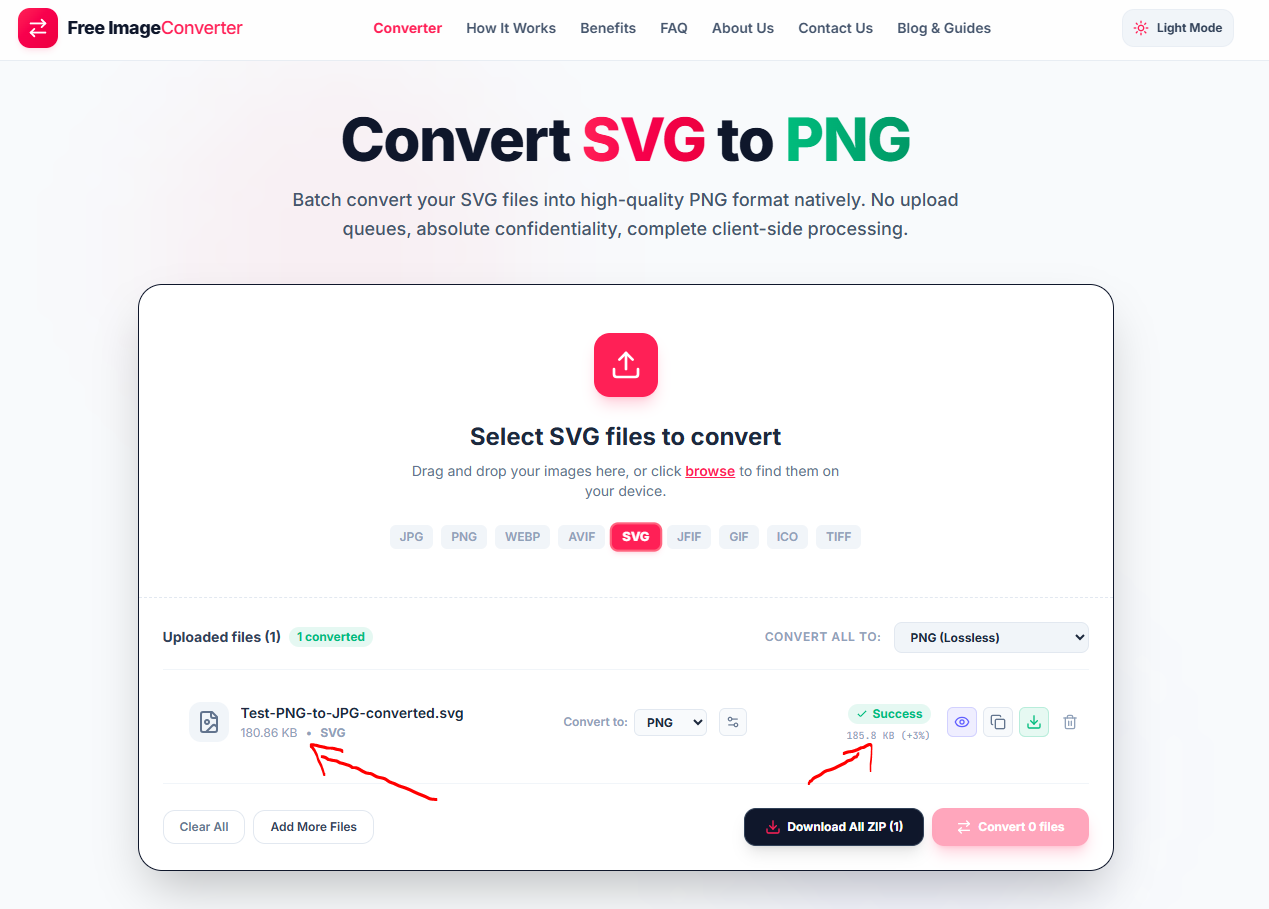
The output PNG came out at 185.8 KB, a 3% increase. No prompt asked us for a width or a height. The tool read the dimensions already defined inside the SVG and rasterized at exactly that size, because that's what a faithful conversion is supposed to do.
Why this actually matters
If the SVG you're converting was built with generous dimensions, say a 1200×1200 viewBox, the PNG comes out sharp at any reasonable display size. If the SVG was built small, say a 24×24 icon meant to be inlined at tiny sizes in an interface, the PNG comes out exactly that small too. Scaling that PNG up afterward in an image editor won't help. Raster images lose quality when stretched, and by then the vector math that made the original SVG infinitely scalable is already gone.
So the actual question to ask isn't "what settings should I use in the converter." It's "what dimensions does this SVG already have, and are they big enough for where this PNG is going to end up." If you open the SVG file in a text editor or a code editor, you can usually see the viewBox or width/height values near the top of the file. If those numbers look small relative to your intended use, the fix happens before conversion, either by editing those values directly or by re-exporting the SVG at larger dimensions from whatever design tool created it.
When you actually need this conversion
SVG files get rejected constantly by places that don't expect vector code inside an image upload: some CMS media libraries, most social media platforms, email clients that strip inline SVG for security reasons, and any tool built to expect a flat grid of pixels rather than markup. Converting to PNG solves all of that in one step, and does it losslessly if you pick that setting, since PNG's compression doesn't discard any pixel data once the SVG has been rasterized.
The SVG to PNG converter does this entirely in your browser, reading the dimensions baked into each file and rasterizing accordingly, with no upload required. Just check what those dimensions are first if the destination needs something specific.
Vector to Raster Basics
SVGs contain mathematical coordinate formulas. Converting to PNG permanently locks those vector paths into fixed pixel dimensions matching the SVG's intrinsic viewBox.
Key Advantages
- Transparency Preserved: Full alpha channel support keeps transparent backgrounds crystal clear.
- Lossless Rasterization: PNG compression retains 100% of the rendered pixel data without artifacting.
- Universal Upload Acceptance: Solves upload failures on social platforms, CMS libraries, and email templates.
Check viewBox First
To avoid blurry upscaling later, inspect the SVG in a text editor or design app to verify its viewBox or width/height matches your target size before rasterizing.
Your SVG vectors are rendered locally in your browser through HTML5 Canvas and WebAssembly. No code or images are sent to any remote server.