SVG to WEBP: Three Things to Check Before You Convert
WEBP is a good landing spot for an SVG that needs to become a raster image. It compresses tighter than PNG, it keeps full transparency support, and it's supported everywhere PNG is these days. But because you're going from code-based vector artwork to a fixed grid of pixels, a few things behave differently than they did in the SVG. Worth checking these three before you run the conversion, not after.
- 1
Does the SVG move?
Some SVGs aren't fully static. CSS animations, SMIL tags, or hover-triggered states can all live inside an SVG file, and WEBP itself actually supports animation. That doesn't mean the conversion carries the motion over, though. Rasterizing an SVG captures what the artwork looks like at a single moment, not a recording of how it behaves over time, so an animated SVG comes out the other end as a still WEBP frame. If the motion matters, this conversion isn't the way to keep it.
- 2
Does it need to stay transparent?
This one holds up well. WEBP supports full alpha transparency the same way PNG does, so a transparent background in the source SVG comes through intact in the converted file. Unlike converting to a format such as JPG, there's no flattening step to worry about here.
- 3
What size is actually baked into the file?
SVG has no fixed pixel dimensions of its own; it's vector math, redrawn at whatever size is requested. WEBP, like any raster format, needs a fixed width and height the moment it's created. Our converter pulls those dimensions directly from what's already defined in the SVG's own code, typically the viewBox or explicit width/height attributes, rather than asking you to pick a size. So if the source SVG was built small, the WEBP comes out small too, and scaling it up afterward won't bring back the sharpness the vector version had.
Real Conversion Test
Here's a real conversion we ran to see where the numbers land: a 422.78 KB SVG converted down to a 242.65 KB WebP, a 43% reduction, with transparency intact and the dimensions carried over exactly as defined in the source file.
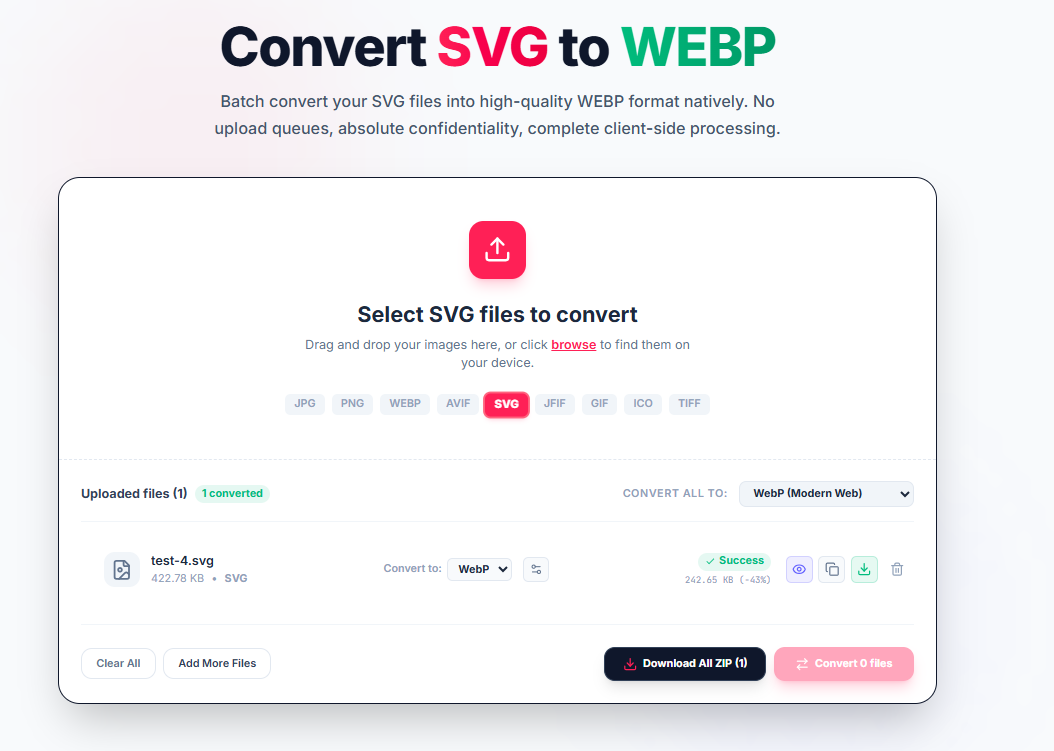
If those three checks come back clean, meaning no animation you need to preserve and dimensions in the source that are big enough for where the image is going, the SVG to WebP converter does the job cleanly in one pass, entirely inside your browser.
Vector to Raster WebP
SVGs contain scalable mathematical coordinate formulas. Converting to WebP rasterizes vector paths into an ultra-compressed pixel grid matching the SVG's intrinsic viewBox.
Key Advantages
- Transparency Preserved: Full alpha channel support keeps transparent backgrounds crystal clear.
- 25-35% Tighter than PNG: Modern WebP compression yields smaller files than PNG without visual loss.
- Modern Web Standard: Fully supported in all modern browsers and content delivery networks.
Check viewBox First
To ensure sharp rasterization, verify that the SVG's viewBox or width/height attributes match your target display size before converting.
Your SVG vectors are rendered locally in your browser through HTML5 Canvas and WebAssembly. No code or images are sent to any remote server.