TIFF to JPG: Why the File Was Never Meant to Stay That Size
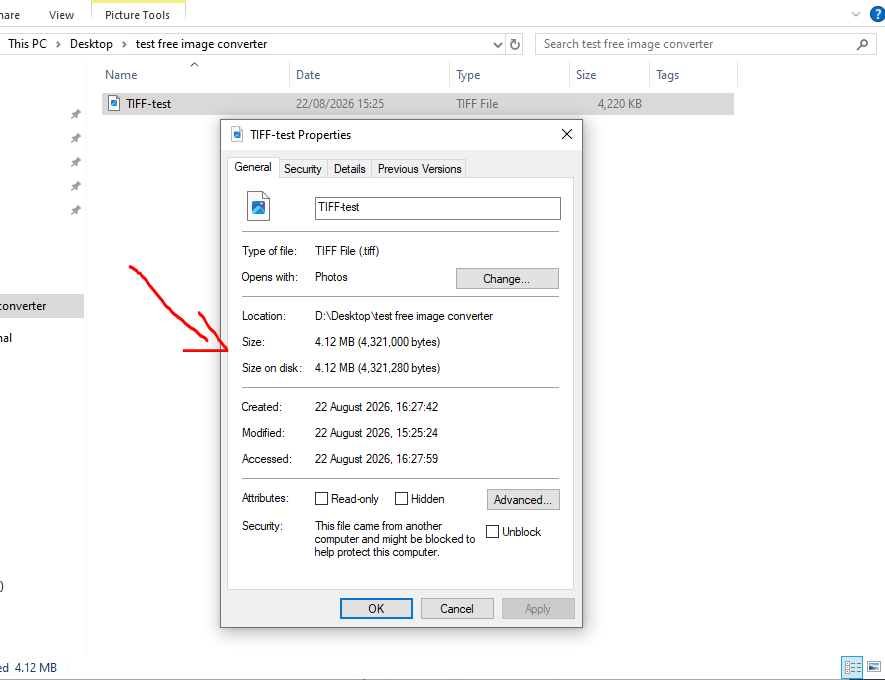
TIFF wasn't built to be small. It's the format printers, scanners, and archival systems reach for because it can store images with little or no compression at all, keeping every bit of detail intact for a print run or a long-term archive. That's a deliberate trade: maximum fidelity in exchange for a file that can be enormous compared to anything meant for a screen. We ran a real 4.12 MB TIFF test file through our converter to see exactly how enormous that gap gets in practice.
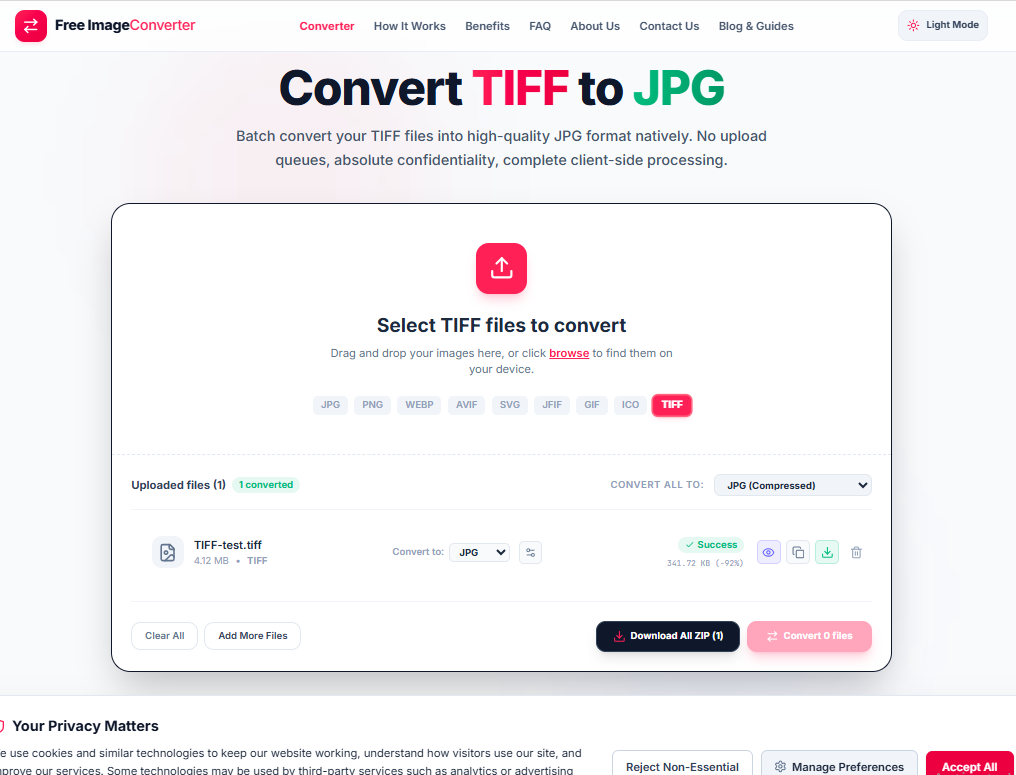
The drop when you convert it is not subtle. That same file, converted to JPG at our default compressed setting, came out at 341.72 KB, a 92% reduction with no visible loss for normal screen viewing.
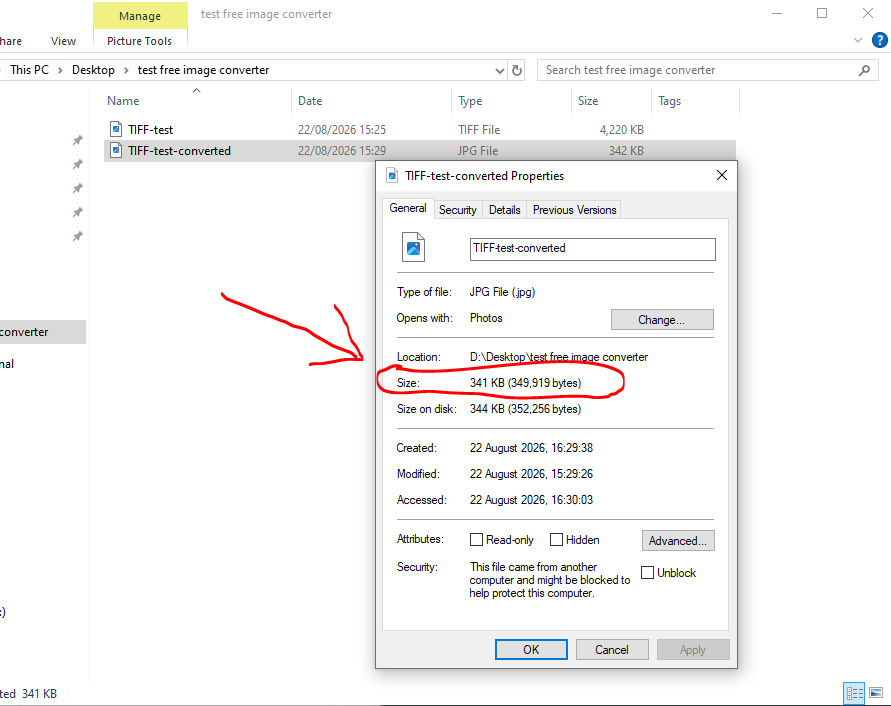
Here's the file explorer confirming the same result on disk. 341 KB, down from 4.12 MB, for what displays as the same image on any screen.
There's a detail worth checking before you convert a TIFF meant for print. Unlike JPG, which only works in RGB, TIFF can store color in CMYK, the four-ink model printers actually use. If the TIFF you're converting came out of a print or prepress workflow, there's a real chance it's stored in CMYK rather than RGB, and converting it to JPG forces a color space conversion along the way. That conversion is usually handled correctly by modern software, but CMYK and RGB don't cover the exact same range of colors, so certain saturated tones, especially deep blues and greens, can shift slightly once the file is squeezed into RGB. If color accuracy matters for what you're doing, it's worth a quick visual check after converting rather than assuming the two files look identical.
TIFF can also hold more than eight bits per color channel, something JPG doesn't support at all. Professional cameras, scanners, and medical or scientific imaging equipment often save at 16-bit depth specifically to preserve subtle gradients that would otherwise band or posterize. Converting to JPG flattens that down to 8-bit, which is invisible for most photography but can matter for images with very smooth gradients, like sky photography or certain scanned artwork, where banding becomes visible after the bit-depth drop.
None of this is a reason to avoid converting. For anything headed to a website, an email, or a shared document, JPG is almost always the right destination, and the size difference alone usually justifies it. The TIFF to JPG converter runs the whole process locally in your browser through WebAssembly, so a scanned document or a professional photo export never has to leave your machine to shrink down to something you can actually attach to an email.
Massive Size Reduction
Uncompressed or LZW-compressed TIFF files routinely drop 85% to 95% in file size when converted to web-optimized JPG with zero noticeable visual loss on screens.
Print vs Screen Color
Print-ready TIFFs in CMYK or 16-bit depth are cleanly mapped to standard 8-bit sRGB for universal compatibility across browsers, phones, and email clients.
Key Advantages
- Instant Sharing: Solves email attachment limits and web upload rejections.
- Adjustable Quality: Fine-tune compression levels to balance fidelity and file weight.
- Batch Processing: Convert multi-megabyte TIFF queues directly in your browser.
Your high-res TIFF scans and documents are processed locally without sending any data or files to remote servers.